Insert a Rectangle
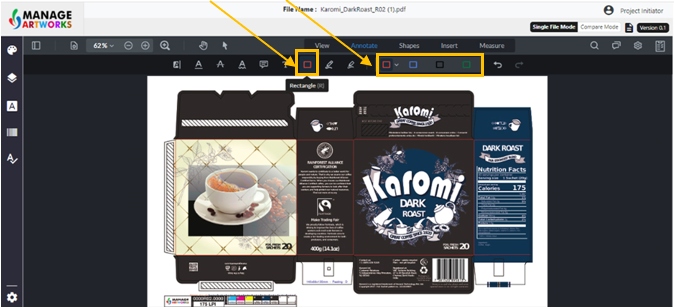
Select the Rectangle tool and choose the color of the rectangle
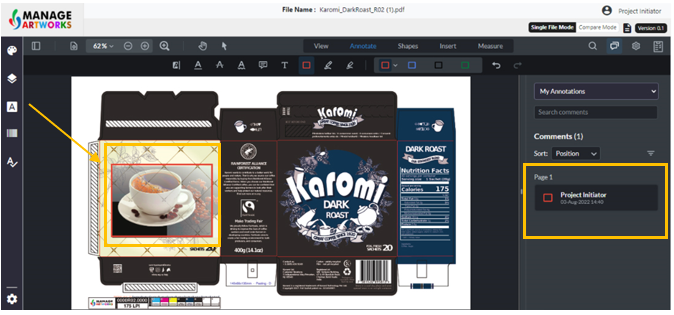
Select the area you want to markup
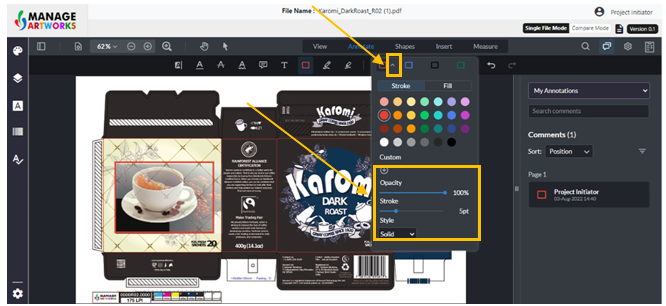
Click on the drop-down to change the formatting of the rectangle
To proofread your next packaging artwork, click here

Select the Rectangle tool and choose the color of the rectangle
Select the area you want to markup
Click on the drop-down to change the formatting of the rectangle
To proofread your next packaging artwork, click here